 1
 2
 3
 4
 5

Essential Korean Apps for Foreigners (2026): KakaoTalk, Karrot, Baemin, Coupang, Papago and More
The apps every foreigner in Korea needs in 2026 — messaging, identity verification, payments, second-hand, food delivery, shopping, translation and transport — with what works without a Korean number and links to step-by-step guides.
 By CampusDown Korea6 people read this
8 min readKnow the rules before the paperwork piles up.

Quick answer: Start with KakaoTalk (messaging), Papago (translation), Naver Map (directions) and Baemin (food). Once you have a Korean phone line in your name, add PASS or Kakao Certificate for identity checks, then Coupang, Coupang Eats and Karrot. For travel: KORAIL+ and Seoul Metro's app. Every guide below is based on official help pages. Updated 6 Nov 2026 (KST).

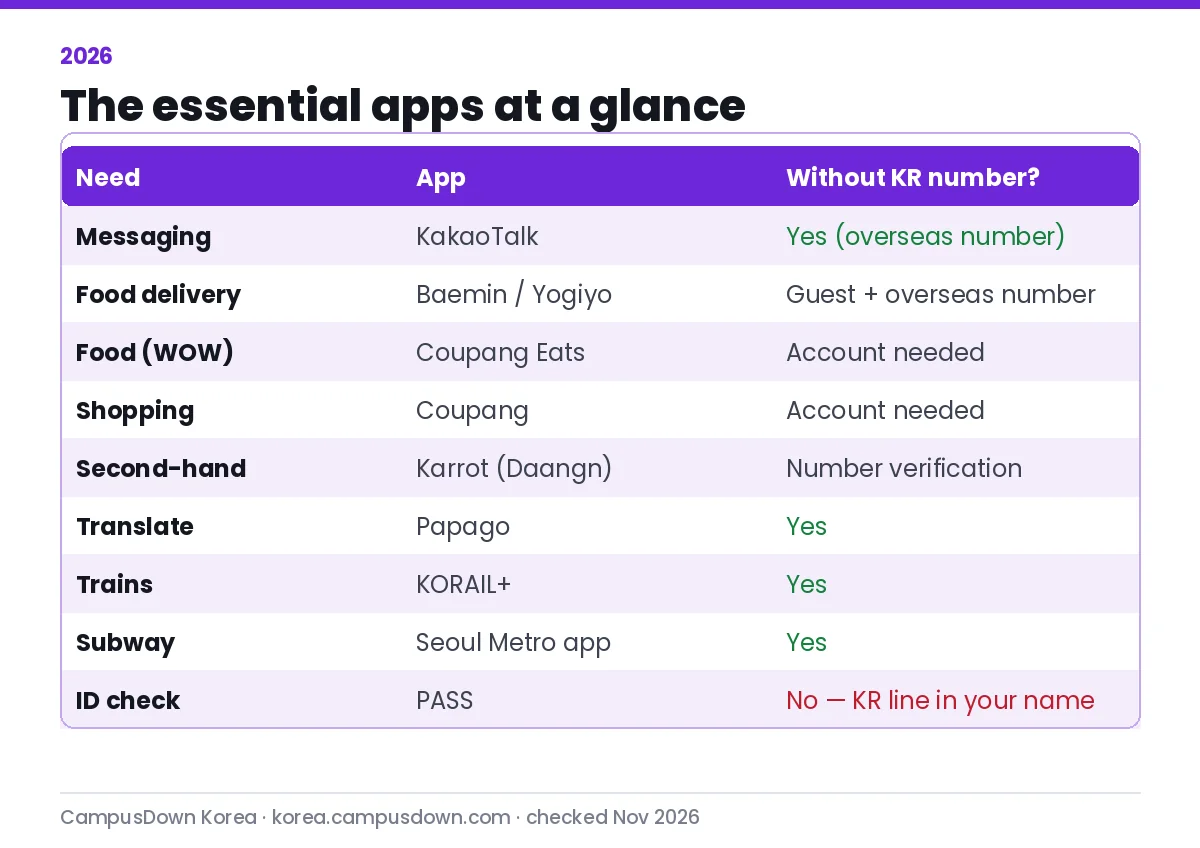
Korea runs on apps — and many assume a Korean phone number. This hub shows which ones work for you right away and which need an ARC and local line, with a detailed guide for each.
At a glance
Setup order
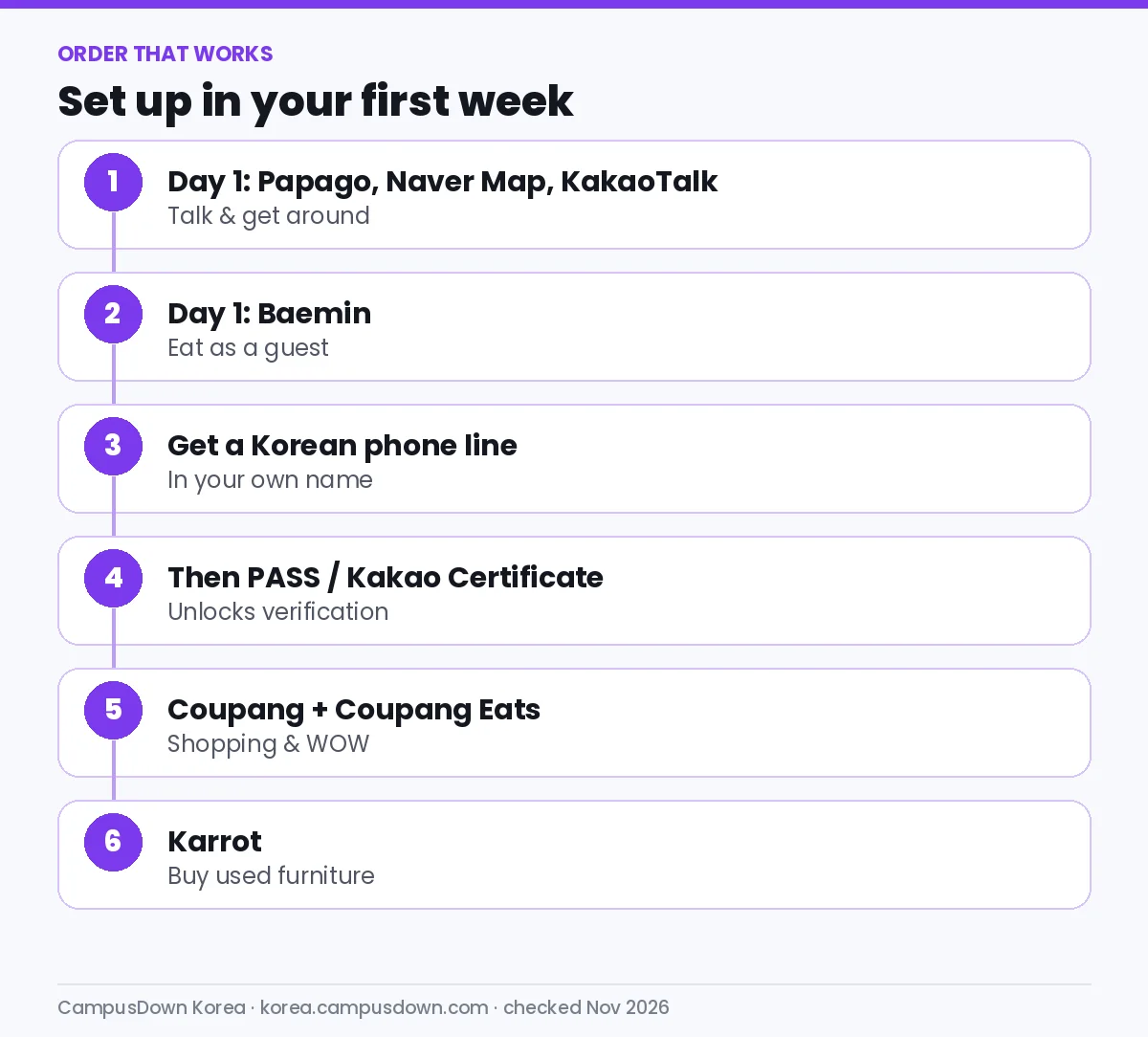
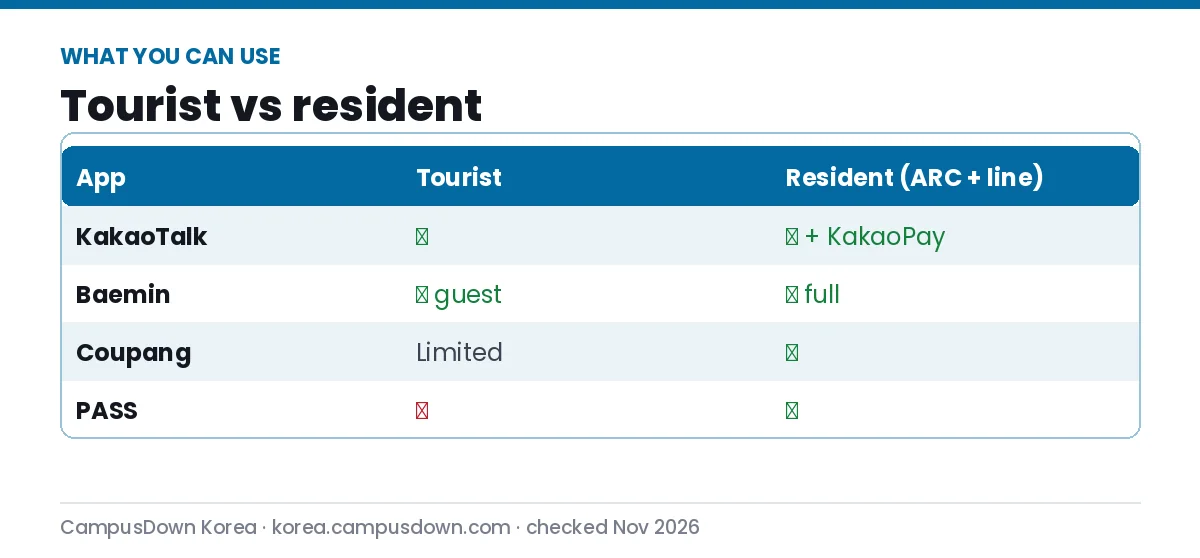
- Install the basics. Papago, Naver Map and KakaoTalk work before you have a Korean number.
- Order food as a guest. Baemin (and now Yogiyo) accept overseas numbers for guest orders.
- Get a phone line in your name. This unlocks most verification.
- Set up PASS or Kakao Certificate. For banks, government and shopping sign-ups.
- Add shopping apps. Coupang and Coupang Eats, optionally WOW.
- Join Karrot. For used furniture and local deals, safely.
All guides
Messaging & identity
- Sign up for KakaoTalk with a foreign number
- KakaoTalk verification code not received
- KakaoTalk Open Chat
- Kakao Certificate
- PASS identity verification
Money & payments
Second-hand
Food delivery
- Baemin in English
- Baemin coupons
- Order on Baemin step by step
- Coupang Eats in English
- Yogiyo for foreigners
- Korean address for delivery
Shopping
Getting around & language
More: KakaoTalk overview, Naver Map vs Kakao Map, Kakao T taxis, Toss Bank.
The apps by category, and why each one matters
Messaging: KakaoTalk
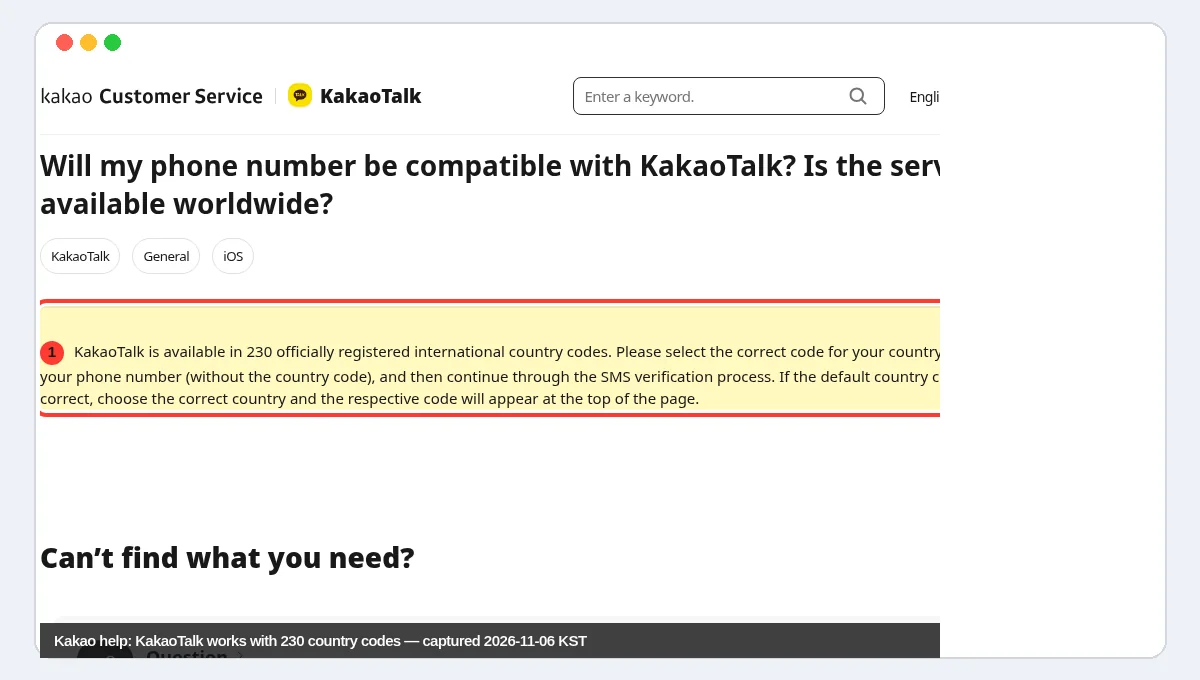
KakaoTalk is how Koreans message — classmates, landlords, part-time job managers and professors' assistants will all assume you have it. Group chats replace email for most practical coordination, and Open Chat rooms are where many foreign communities, language exchanges and second-hand groups gather. You can sign up with an overseas number, then switch to your Korean number once you have one. Start with our sign-up guide and keep the verification fix guide handy.
Identity: PASS and certificates
Identity verification is the hidden gate behind banking, shopping and government websites. Once you have a Korean line in your own name, set up PASS or Kakao Certificate. This one step unlocks more apps than anything else on this list, so do it early in your first month.
Payments: KakaoPay, Toss and your bank app
Simple-payment apps let you pay in shops, split bills and transfer money to friends. They usually require a Korean bank account and verified phone number. Read our guides to KakaoPay and mobile payments compared. Splitting the bill by bank transfer after a group dinner is common, so having a payment app saves awkward moments.
Food delivery: Baemin, Coupang Eats, Yogiyo
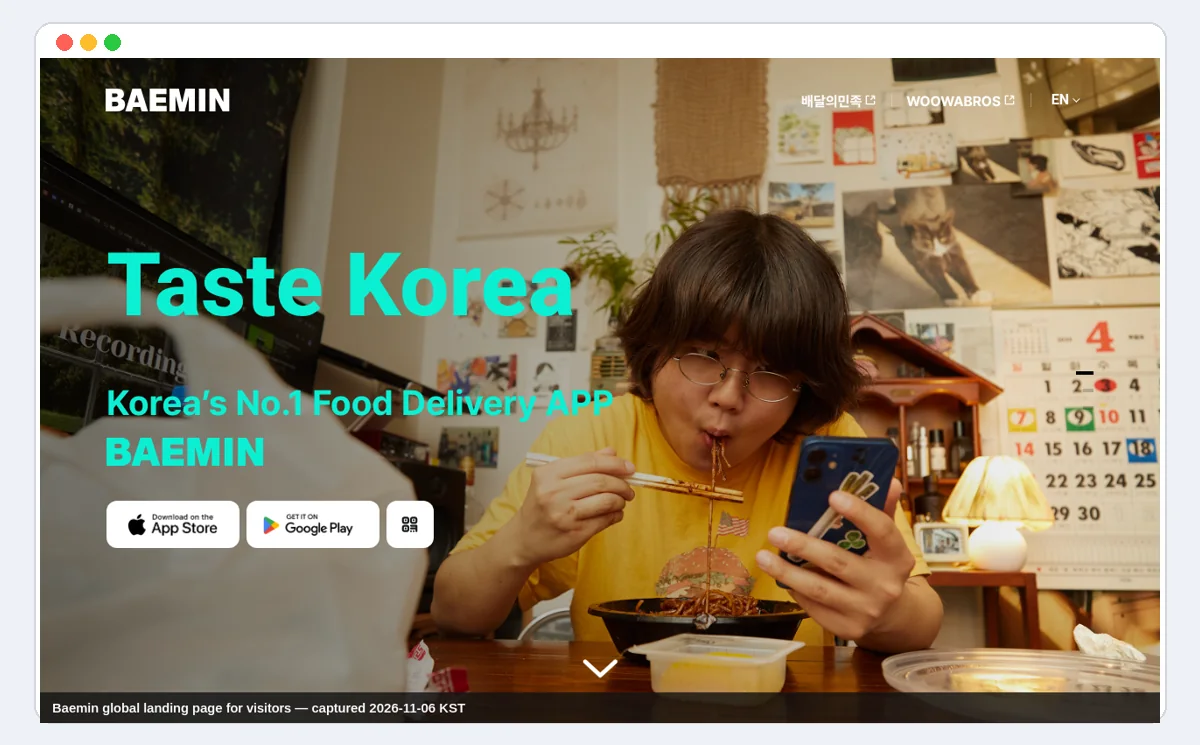
Delivery is part of daily life in Korea, from late-night chicken to breakfast. Baemin is the most foreigner-ready for visitors, with English and guest ordering; Yogiyo added English (beta) and overseas numbers for guests in 2026; Coupang Eats pays off if you already have Coupang WOW. Most people keep two delivery apps and compare.
Shopping: Coupang
Coupang is Korea's dominant online shop, known for fast Rocket Delivery. For new residents it is the quickest way to get bedding, kitchen basics and household items without hunting through shops. See how to use Coupang and the coupon guide.
Second-hand: Karrot (Daangn)
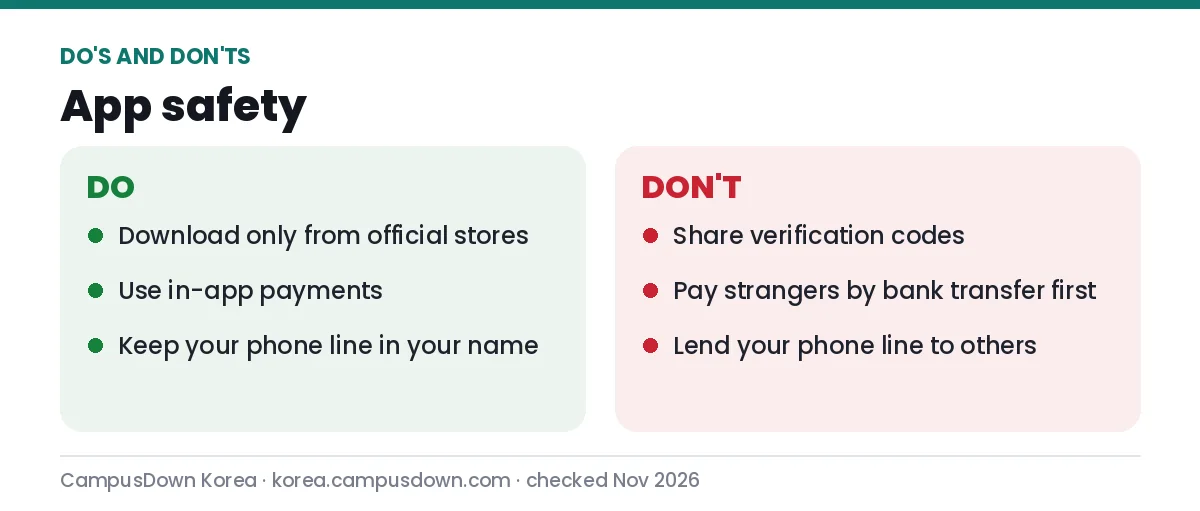
Karrot connects you with sellers in your own neighbourhood. Students use it to furnish a room cheaply when they arrive and to sell everything before they leave. Read the scam-avoidance guide before your first trade.
Getting around: maps, subway, trains, taxis
Google Maps has limited walking and driving directions in Korea, so locals rely on Naver Map or Kakao Map. Add the Seoul Metro app for real-time trains, KORAIL+ for KTX trips, and Kakao T for taxis. With these, you can reach almost anywhere without asking for directions.
Language: Papago
Papago translates menus, notices and conversations, and is the app you will open most in your first weeks. Use it to understand, but confirm anything legal or medical with a person.
The Korean phone number problem, explained
Almost every frustration foreigners have with Korean apps comes back to one thing: identity verification through a Korean mobile line registered in your name. Until you have that, you are limited to apps that accept overseas numbers or guest modes. That is why this guide orders the setup the way it does. If you arrive as a student, your university may help you get a line during orientation; read getting a phone plan as a student for options. Bring your passport, and once your alien registration card arrives, update your carrier record.
Keeping your phone organised
Korean apps send many notifications — promotions, coupons, delivery updates. Turn off marketing notifications in each app's settings, but keep delivery and security alerts on. Many apps ask for marketing consent (마케팅 수신 동의) during sign-up; it is optional, and declining usually does not affect the main service, though some coupons are only sent to people who opt in.
Before you leave Korea
Students finishing their programme often forget that apps are tied to their Korean number. Before you cancel your phone line, move KakaoTalk to your home number, check how to keep or close bank and payment apps, withdraw remaining balances from payment apps, sell furniture on Karrot a few weeks before your move-out date, and cancel paid memberships such as Coupang WOW so they do not keep billing your card. A phone number you give up can later be reassigned to someone else, so update every account that uses it for login.
If you are only visiting
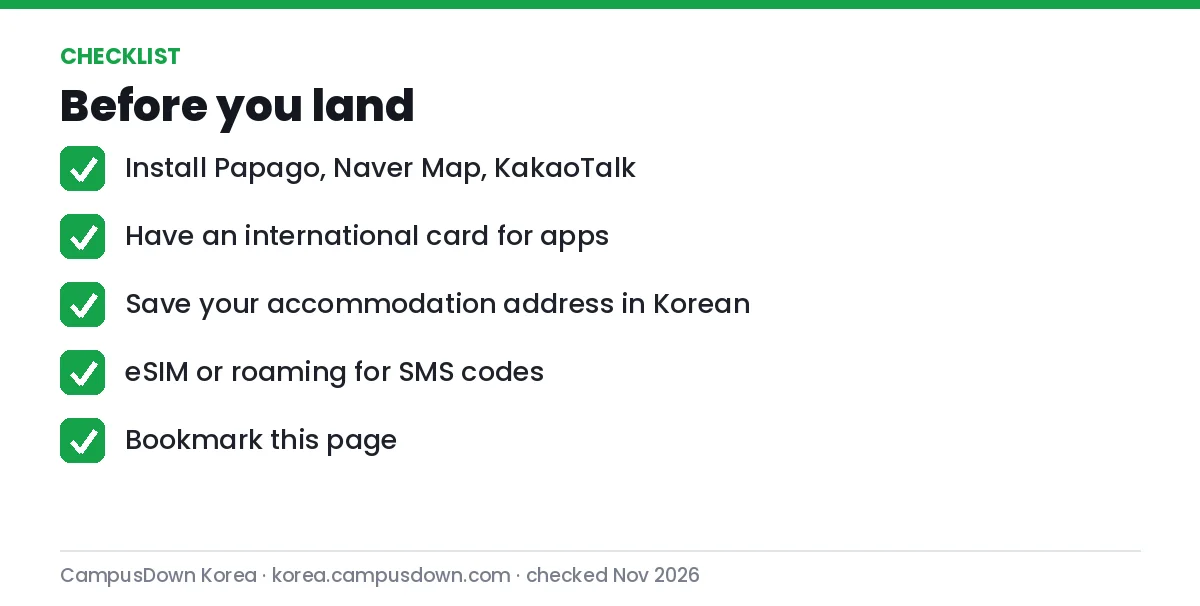
Short-term visitors can skip the identity apps entirely. A practical tourist set is Naver Map, Papago, KakaoTalk, Baemin (guest), the Seoul Metro app and KORAIL+ if you travel between cities, plus a transit card. Save your accommodation's address in Korean so you can show it to drivers and enter it in delivery apps — our address guide explains how.
More Korea app guides in this series
- How to Sign Up for KakaoTalk With a Foreign Phone Number (2026 Step-by-Step)
- How to Use Baemin (배달의민족) in English: Complete Beginner Guide for Foreigners (2026)
- How to Use Coupang in Korea as a Foreigner: Sign-Up, Rocket Delivery, WOW and Returns (2026)
- How to Use Karrot (Daangn/당근) in Korea: English Step-by-Step Guide for Foreigners (2026)
FAQ: Korean apps for foreigners
What apps do I need in Korea as a foreigner?
KakaoTalk, Papago, Naver Map, a delivery app like Baemin, and later Coupang, Karrot, PASS and KORAIL+.
Can I use Korean apps without a Korean phone number?
Some, yes: KakaoTalk, Papago, maps, and guest orders on Baemin and Yogiyo. Identity verification needs a Korean line in your name.
Do Korean apps have English?
Many do now — Baemin, Coupang Eats, Yogiyo (beta), KORAIL+, Seoul Metro and Papago list English.
Why do Korean sites ask for 본인인증?
Korean services verify identity through your phone carrier; see our PASS guide.
Sources: official help pages and app store listings linked in each guide, checked 6 Nov 2026 (KST).
ℹ️ This article is general information, not legal advice. Rules and procedures can change — check the official sources linked above for the latest details.
Was this worth your time?
Tap a star to rate it. One vote per reader.
No ratings yet. Be the first.
💬 Comments
- Be the first to comment.